.svg)
.svg)
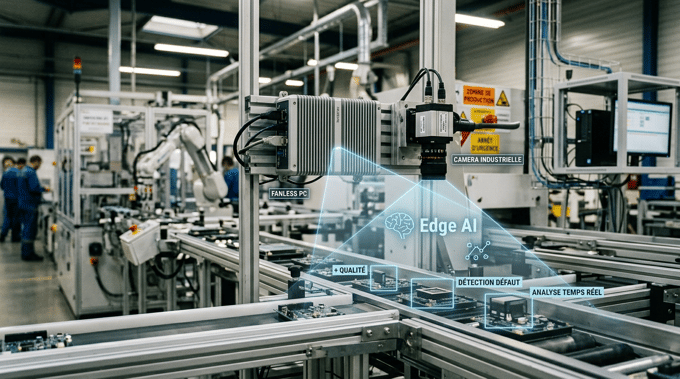
A fanless industrial PC can play a central role in the retrofit of an existing machine. When a piece of equipment remains mechanically sound but its computing system becomes obsolete, replacing the PC can help modernize monitoring, data collection, or communications without having to replace the entire system.
This approach addresses a common challenge in industry: extending the lifespan of equipment while adding new digital capabilities. An industrial PC can thus replace an end-of-life computer, communicate with an existing PLC, centralize production data, or run edge computing applications.
However, the choice of hardware must take into account the machine’s constraints: available interfaces, environment, temperature, vibrations, installation space, performance, and durability.
See also: our article on industrial retrofits, which outlines the various approaches for modernizing existing equipment.
TABLE OF CONTENTS:
1. Why replace a machine’s PC during a retrofit?
4. How do you integrate an industrial PC into an existing machine?
5. Which applications should be modernized with a fanless PC?
6. Which industrial PC should you choose for a retrofit project?
7. Industrial PC or desktop PC: What’s the difference for a retrofit?
8. The 5 steps of a retrofit using a fanless industrial PC
Why replace a machine’s PC during a retrofit?
An industrial retrofit does not necessarily involve replacing an entire machine. It can focus on components that have become obsolete or are limiting performance, while retaining those that remain fully operational. IT components are often among these.
A machine may continue to operate properly even though its PC is several years behind current requirements: an obsolete operating system, aging storage, insufficient memory, inadequate interfaces, or incompatibility with new software.
In this case, replacing the PC can serve as a targeted modernization effort without requiring a complete overhaul of the machine’s architecture.
What are the signs that a PC needs to be replaced?
There are several situations that may warrant replacing your existing PC:
- an operating system that has reached the end of its support cycle;
- an aging hard drive or one that is experiencing errors;
- performance insufficient for current software;
- limited memory or storage capacity;
- Insufficient Ethernet, serial, or USB ports;
- difficulty finding replacement parts;
- incompatibility with new software or drivers;
- lack of connectivity suitable for new equipment;
- recurring computer failures;
- inability to add new monitoring or data collection features.
Replacing the PC can therefore become a relatively focused step in an industrial machine retrofit project . The goal is not necessarily to install the most powerful hardware available, but to have a platform that is reliable, maintainable, and sufficiently scalable to meet the facility’s needs.
Why choose a fanless PC for an industrial retrofit?
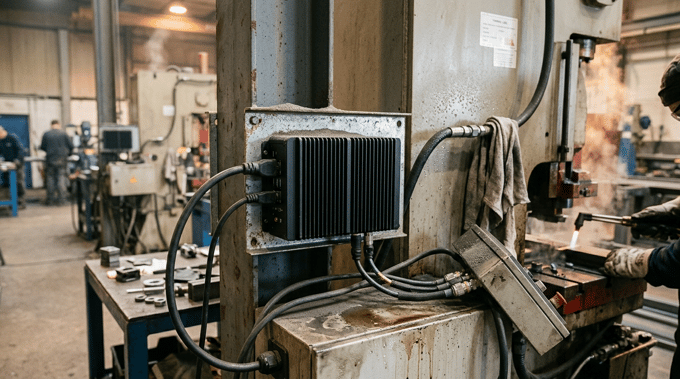
In an existing machine, available space is often limited, and the environment can be very different from that of an office. Dust, temperature fluctuations, vibrations, continuous operation, and integration constraints must all be taken into account when selecting new hardware.
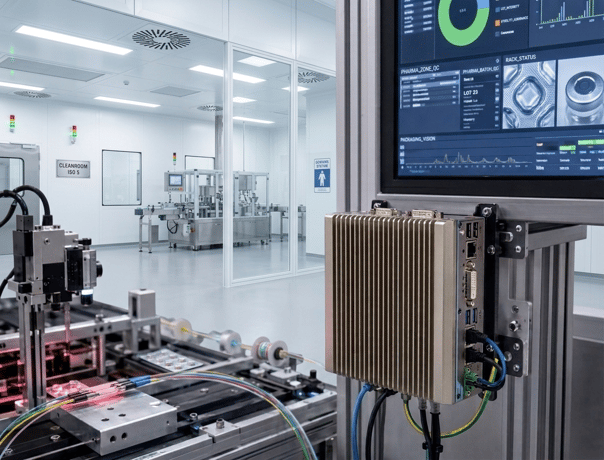
The industrial fanless PC is particularly well-suited to this type of environment thanks to its fanless design and the various integration options available depending on the model.
A fanless design tailored for industrial use
A fanless PC uses passive heat dissipation: the chassis helps dissipate the heat generated by the components. The absence of a fan eliminates a moving mechanical part and can reduce problems associated with dust being drawn into the system.
In a retrofit scenario, this design can be advantageous when the new PC must operate directly within the production environment. However, a fanless design alone does not guarantee ruggedness. The selection process must also take into account the temperature range, protective features, vibration resistance, power supply, and the overall industrial design of the hardware.
A form factor suited to integration constraints
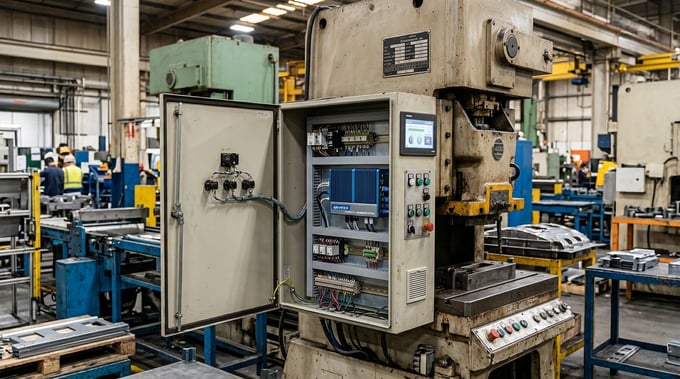
An existing machine was generally not designed to accommodate a new computer. The PC must therefore be able to fit into the existing architecture:
- electrical cabinet;
- industrial enclosure;
- machine room;
- wall mount;
- DIN rail;
- VESA mounting;
- rack architecture depending on the application.
The PC form factor must be considered from the outset of the project to ensure that a technically suitable configuration is not ultimately impossible to integrate.
-> To explore the various architectures available, see our line of fanless industrial PCs.
Hardware designed for continuous operation
An industrial machine may operate for several hours a day, or even continuously. The PC must therefore be sized to accommodate its actual usage:
- operating temperature;
- vibrations and shocks;
- dust and humidity;
- power supply;
- processor load;
- storage;
- operating time;
- maintenance and component availability.
The selection of a fanless PC for an industrial environment must therefore be based on the actual conditions to which the equipment will be exposed.
Can the existing PLC be retained during the retrofit?
Yes. Replacing the PC does not necessarily mean replacing the PLC. In fact, that is one of the benefits of an IT retrofit: modernizing certain components of the system while retaining equipment that remains functional.
The new PC can continue to communicate with the existing PLC, provided it has the necessary interfaces and protocols. This approach makes it possible, for example, to retain:
- the programmable logic controller;
- the sensors;
- certain field devices;
- the actuators;
- part of the industrial network;
- the existing control logic.
The PC then becomes a new computing platform around which new functions can be added. This architecture is particularly useful when the automation system is still reliable but the computing infrastructure has become difficult to maintain or upgrade.
How do you integrate an industrial PC into an existing machine?
Replacing a PC as part of a retrofit must begin with an audit of the existing system. The processor is just one of the criteria to consider.
1. Identify the role of the existing PC
Before choosing new hardware, you must precisely determine the functions performed by the current computer. It may be used for:
- machine monitoring;
- an operator interface;
- communication with a PLC;
- data acquisition;
- logging of historical data;
- machine vision;
- execution of business software;
- local data processing.
This step helps distinguish which functions should be retained from those that can be added during the retrofit.
2. Identify the interfaces
Compatibility with the existing system is one of the most important considerations. In particular, it is necessary to identify the interfaces used:
- Ethernet;
- RS-232;
- RS-422;
- RS-485;
- USB;
- CAN Bus;
- GPIO;
- digital inputs and outputs;
- video interfaces;
- industrial networks.
The new fanless industrial PC must have the necessary interfaces or be configurable with the appropriate expansion cards. This analysis helps avoid a common problem: having a PC that is powerful enough but cannot be connected to existing equipment.
3. Check environmental constraints
The PC must then be selected based on the actual installation conditions. In particular, you must verify:
- the minimum and maximum temperatures;
- dust levels;
- humidity;
- vibrations;
- any potential impacts;
- available power supply;
- installation space;
- electromagnetic constraints depending on the application.
Depending on the context, an extended temperature range or a specific protection rating may be required.
For more information on this topic, see also our article on fanless PCs in industrial environments.
4. Determining performance requirements
The choice of processor should be based on the application, not the other way around. A typical industrial control system will not have the same requirements as a machine vision or edge computing application. Performance requirements may depend, in particular, on:
- the number of applications running;
- the number of data streams;
- the resolution of the processed images;
- the required storage capacity;
- graphics requirements;
- the algorithms executed locally;
- real-time processing requirements.
Depending on the applications, a configuration based on an Intel, AMD, or ARM processor may be considered, with various memory capacities, storage options, and expansion capabilities.
Which applications should be modernized using a fanless PC?
Replacing an aging PC can allow you to add new features to a machine without changing its entire architecture.
Upgrading an industrial control system
An industrial PC can replace an older supervisory control platform and run newer software. The machine retains its automation capabilities, while the new PC provides, among other things:
- displaying information;
- equipment monitoring;
- data logging;
- communication with industrial systems.
This solution makes it possible to extend the operational life of a machine whose automation system remains functional.
Add data collection
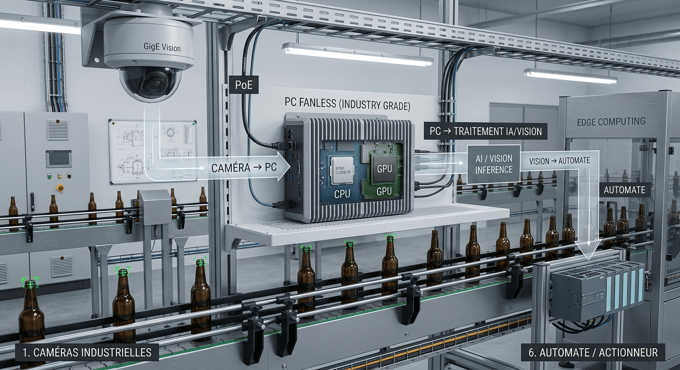
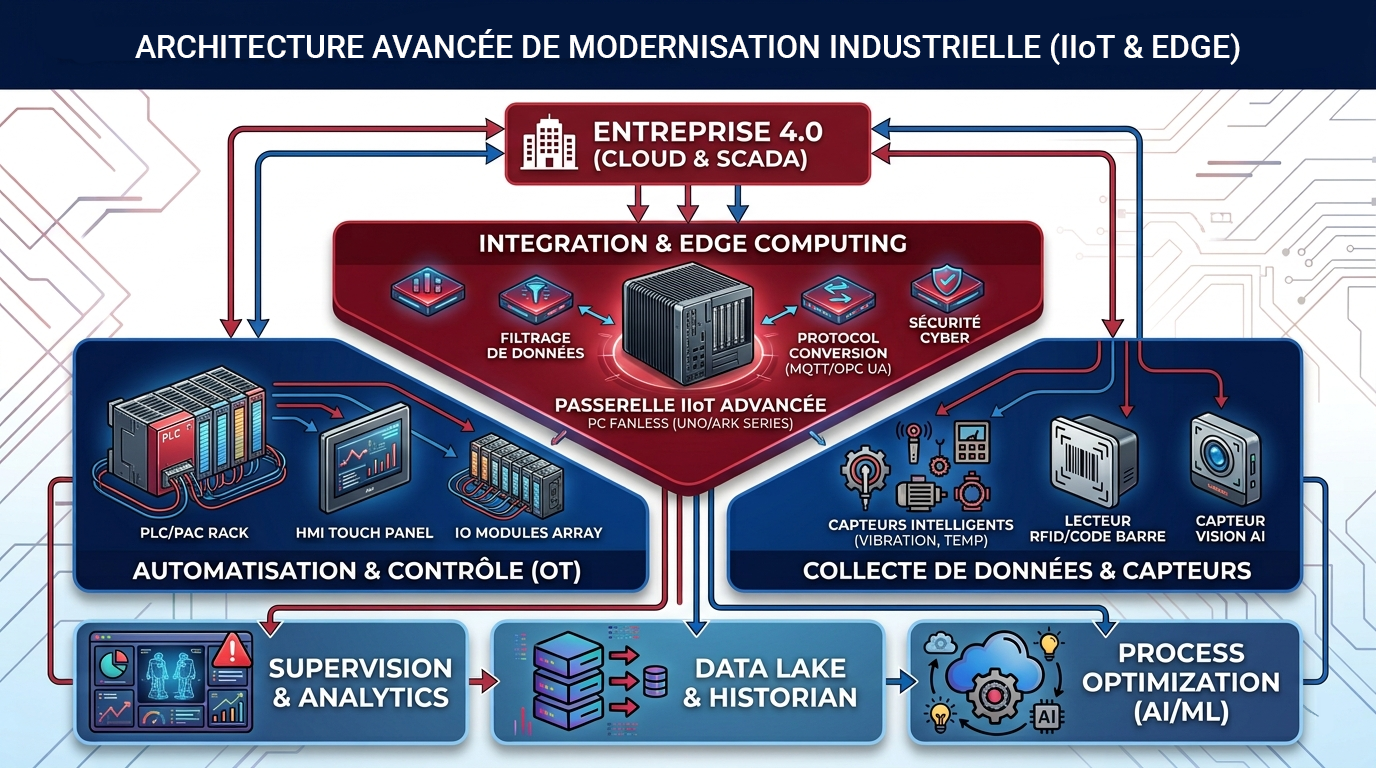
The retrofit can also be used to make an existing machine more connected. The PC retrieves data from PLCs, IoT sensors, or field devices, then processes it and transmits it to a supervisory system, an MES, or an IT infrastructure. The machine can thus gradually integrate new functions related to Industry 4.0.
Deploying Edge computing
A sufficiently powerful fanless PC can also function as an edge platform directly at the machine level. Data is processed locally, as close as possible to its source. This can be useful for:
- equipment monitoring;
- real-time analysis;
- anomaly detection;
- condition-based maintenance;
- machine vision;
- data processing prior to transmission;
- certain artificial intelligence applications.
IT retrofitting thus becomes the first step toward a more connected industrial architecture.
Which industrial PC should you choose for a retrofit project?
There is no one-size-fits-all configuration. The choice of hardware must be based on the machine’s specifications and the project’s objectives. To learn more about the selection criteria for a fanless industrial PC, check out our guide to choosing a fanless industrial PC suited to your application.
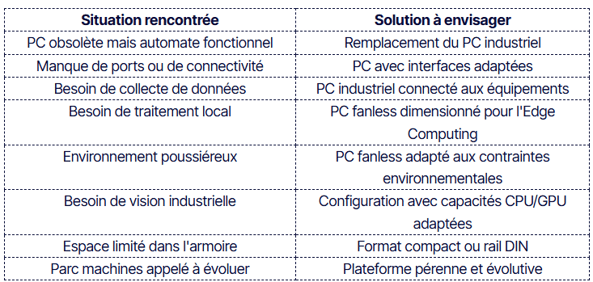
Connectivity
The number and type of ports are essential when the PC needs to be integrated into an existing system. Depending on the architecture, multiple Ethernet ports, serial interfaces, USB ports, CAN bus ports, GPIO ports, or PCIe expansion slots may be required.
Form factor
The form factor must match the available space and the installation method. A compact DIN-rail model may be suitable for an electrical cabinet, while another form factor may be better suited for embedded or rack-mounted integration.
Ruggedness
Resistance to environmental stresses must be evaluated based on the application:
- temperature;
- vibration;
- shocks;
- dust;
- humidity;
- electrical stresses.
It is best to base your selection on actual operating conditions rather than choosing equipment based solely on its theoretical performance.
Durability
In a retrofit project, the longevity of the hardware is particularly important. The new PC must be maintainable and replaceable over the long term. The availability of components, the stability of the platform, and software compatibility must therefore be factored into the initial selection.
Industrial PC or office PC: What’s the difference for a retrofit?
An office PC may seem sufficient when the goal is simply to display a supervisory control interface. However, an industrial machine may be exposed to conditions that are incompatible with standard computer architecture: vibrations, fluctuating temperatures, dust, continuous operation, or integration constraints.
A fanless industrial PC is designed to meet these challenges with an architecture tailored to the industrial environment. The choice should therefore be based on the total cost of ownership and the consequences of a failure, rather than solely on the purchase price of the hardware.
The 5 steps of a retrofit using a fanless industrial PC
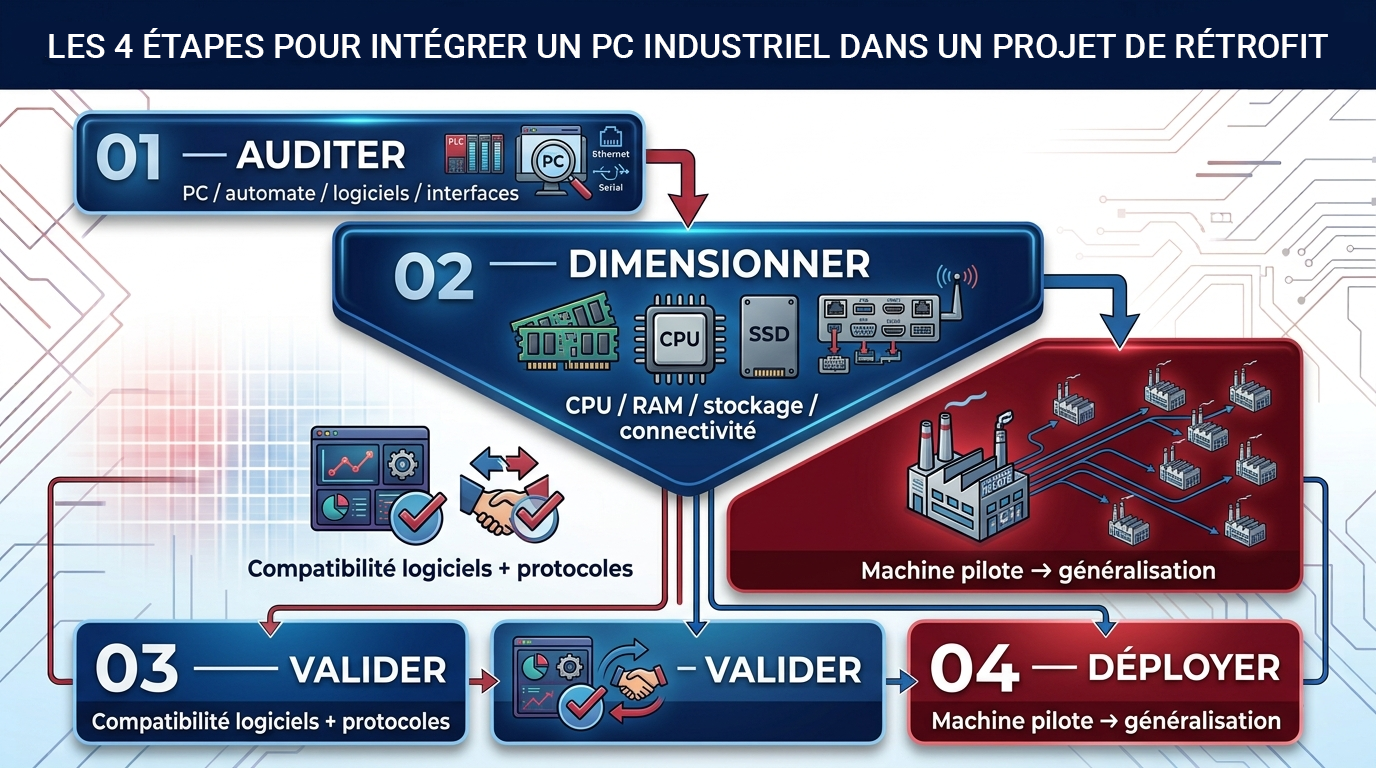
A retrofit project can be broken down into five steps.
1. Assess the existing system
Identify the current industrial PC, its operating system, software, interfaces, the protocols used, and environmental constraints.
2. Define the objectives
Determine which functions to retain and which new capabilities are desired: monitoring, data collection, connectivity, edge computing, machine vision, or local analysis.
3. Size the hardware
Select the processor, memory, storage, interfaces, form factor, and necessary protection features.
4. Verify compatibility
Test the software, drivers, communication protocols, and data exchanges with the PLC before deployment on the production machine.
5. Deploy in phases
When circumstances permit, start with a pilot machine or line before expanding the solution to the entire fleet. This approach helps minimize risks and verify the new system’s compatibility with the actual industrial environment.
From IT retrofits to Industry 4.0
Replacing an aging PC can be much more than just a routine maintenance task. An existing machine can gradually evolve according to an architecture such as this:
Existing machine → Industrial PC → Data collection → Edge computing → Monitoring → Data analysis
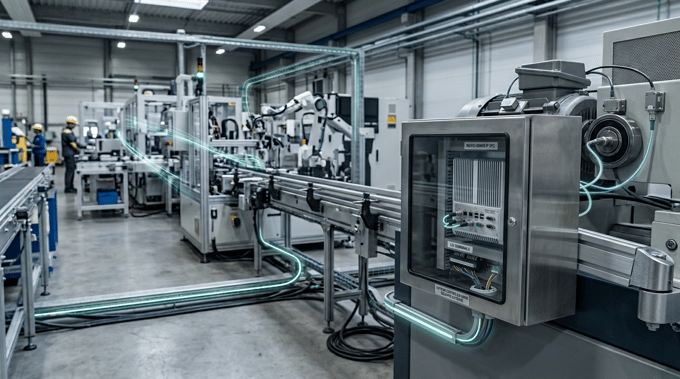
This approach makes it possible to retain industrial assets that are still performing well while gradually addingthe necessary digital components. For a fleet consisting of machines from different generations, this strategy can also facilitate a phased modernization without requiring the simultaneous replacement of all equipment. The fanless industrial PC thus serves as an interconnection component between the existing automation systems and the new digital systems.
-> Learn more about digitizing an existing factory
Fanless industrial PCs and retrofits address a specific challenge: modernizing an existing machine without necessarily replacing industrial equipment that is still performing well. When a PC becomes obsolete, replacing it can allow you to retain the existing automation system while adding new capabilities for monitoring, communication, data collection, or edge computing.
However, the success of the project depends on the proper sizing of the hardware. Interfaces, form factor, environment, performance, storage, operating system, and long-term reliability must be evaluated based on the existing installation. The right choice, therefore, is not simply a more powerful PC, but an industrial platform capable of integrating with the existing system and supporting the machine’s future upgrades.
FAQ – Fanless industrial PCs and retrofits
Can a fanless PC be used to retrofit an older industrial machine?
Yes. A fanless PC can replace an obsolete computer to handle monitoring, data collection, communication with PLCs, or certain edge computing functions, while retaining part of the existing installation.
Is it necessary to replace the PLC during a retrofit?
No. A retrofit can focus solely on the IT component of an installation. If the PLC remains functional and compatible with the new architecture, the PC can be replaced without necessarily modifying the control system.
Can an industrial PC communicate with an older PLC?
Yes, provided the necessary interfaces and protocols are available. Ethernet, RS-232, RS-422, RS-485, USB, or CAN Bus can be used, depending on the configuration of the system and the PC.
What is the benefit of a fanless PC for an industrial machine?
The absence of a fan eliminates a moving mechanical part and can limit the amount of dust entering the chassis. A fanless PC is particularly suitable when the PC must operate in an industrial environment, provided that all of its specifications meet the application’s requirements.
Can Edge Computing be added to an existing machine?
Yes. A sufficiently powerful industrial PC can process data from production equipment locally and run analytics, monitoring, or edge computing applications.
How do you choose an industrial PC for a retrofit?
Start by analyzing the existing setup: the PC’s role, software, interfaces, protocols, temperature, vibrations, available space, power supply, and required performance. The hardware is then selected based on current functions and planned future upgrades.
See also:
- Industry 4.0: Digitizing an existing factory without replacing everything
- Fanless PCs in industrial environments: dust, temperature, vibrations, and humidity
- How to choose a fanless PC based on your application