.svg)
.svg)
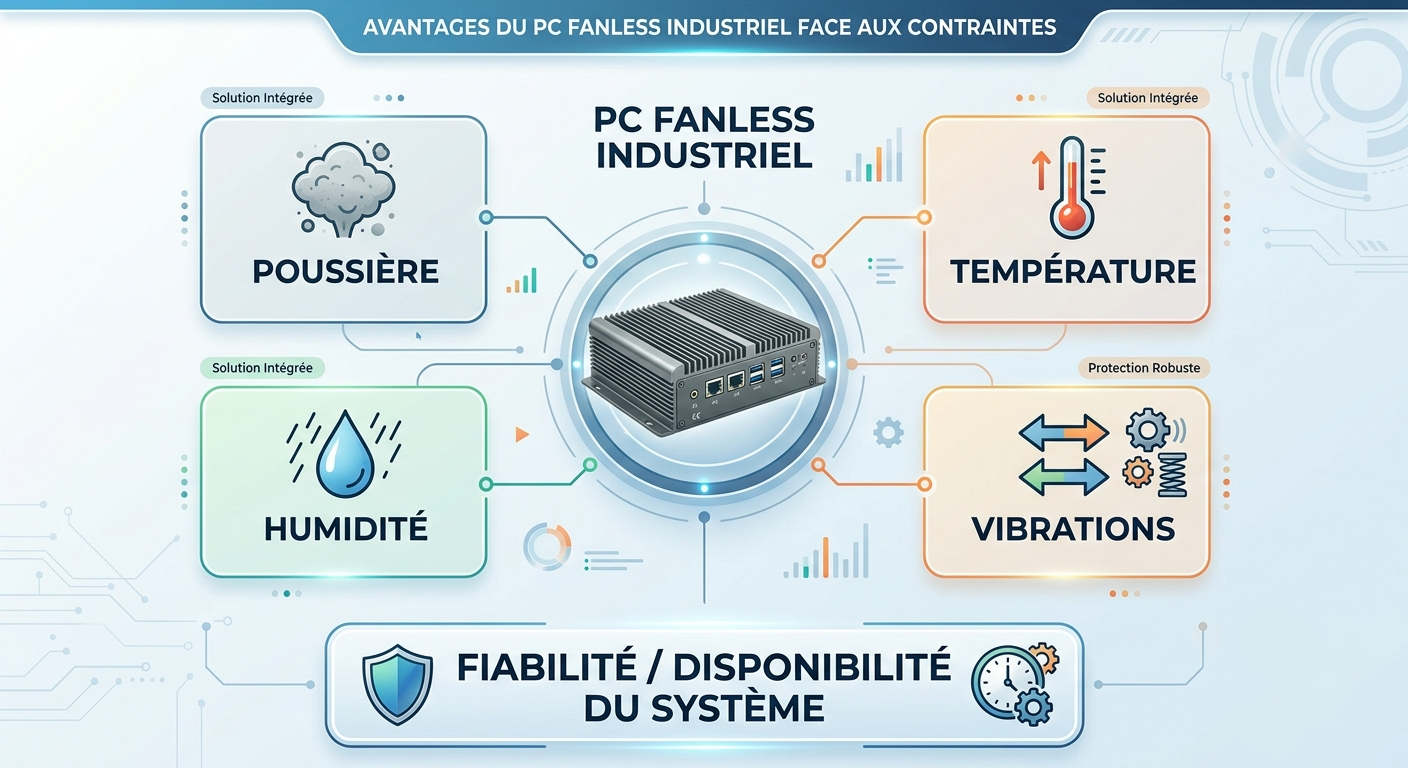
A fanless industrials PC must be able to operate reliably under conditions that differ significantly from those of a typical computing environment. Dust, high or sub-zero temperatures, vibrations, humidity, and temperature fluctuations can have a direct impact on the hardware’s availability.
The absence of a fan is an advantage in certain environments, particularly when dust or the need to minimize mechanical parts are significant constraints. However, the term “fanless” alone is not sufficient to determine whether a PC is truly suitable for an industrial application.
To select a reliable configuration, it is necessary to analyze all environmental constraints: temperature, dust, humidity, condensation, vibrations, shocks, IP protection rating, and integration conditions.
TABLE OF CONTENTS:
1. Why is the environment a critical factor for a fanless industrial PC?
2. Industrial dust: Why is a fanless design an advantage?
3. Temperature: How do you cool a fanless PC?
4. Vibrations and shocks: How robust is the mechanical design?
5. Humidity and Condensation: What Are the Risks for an Industrial PC?
6. What factors should you consider before choosing a fanless PC?
7. Which fanless PC should you choose based on the industrial environment?
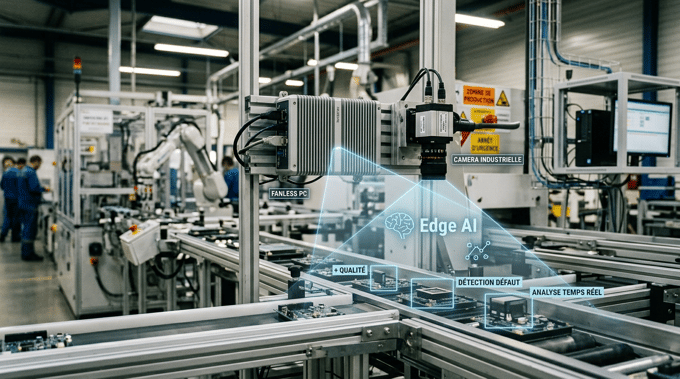
8. Fanless PCs and Edge Computing: Why the Environment Matters Too
Why is the environment a critical factor for an industrial fanless PC?
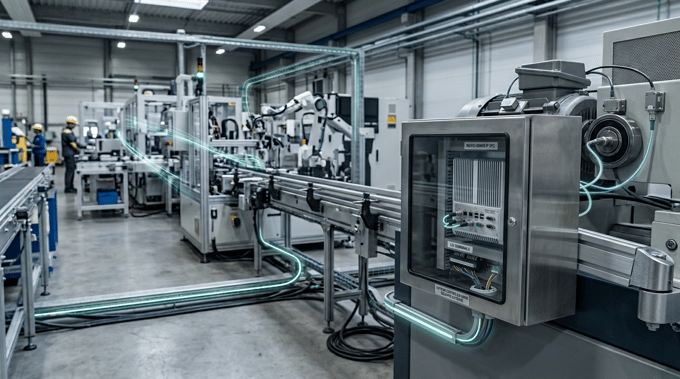
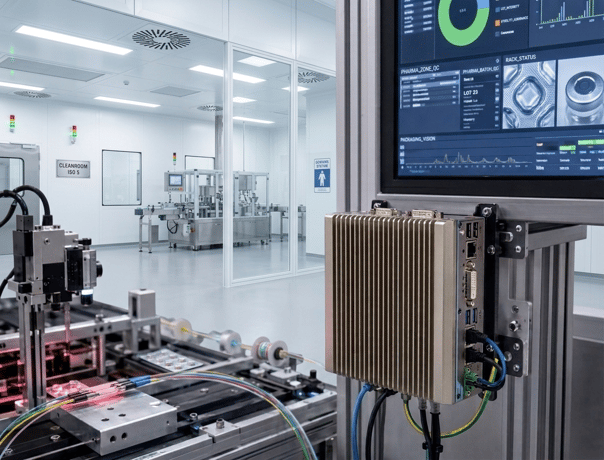
An industrial computer can be installed right next to a machine, in an electrical cabinet, on a production line, in a warehouse, or even in a vehicle. Unlike a PC installed in an office or an air-conditioned computer room, it may be directly exposed to the harsh conditions of industrial processes.
Temperatures can vary significantly throughout the day. Dust may be present in the air. Machines can generate continuous vibrations. In some environments, humidity and temperature fluctuations can also lead to condensation. These factors should not be considered in isolation.
A PC installed in a hot electrical cabinet, for example, must both dissipate heat effectively and operate stably for long periods. An embedded computer mounted on a machine, on the other hand, must withstand vibrations while maintaining reliable connections.
Fanless does not automatically mean “ruggedized”
A fanless PC is, first and foremost, a computer that does not rely on a fan for cooling. This design generally eliminates a moving mechanical part and reduces the airflow required for active cooling. It can therefore be particularly advantageous in dusty environments.
However, the ruggedness of an industrial PC also depends on many other factors:
- chassis design;
- thermal management system;
- temperature range;
- component quality;
- vibration and shock resistance;
- protection against dust and water;
- connectivity;
- mounting system;
- storage and memory;
- power supply.
"Fanless" is therefore an architectural feature, not a general certification of robustness.
Industrial dust: Why is a fanless design an advantage?
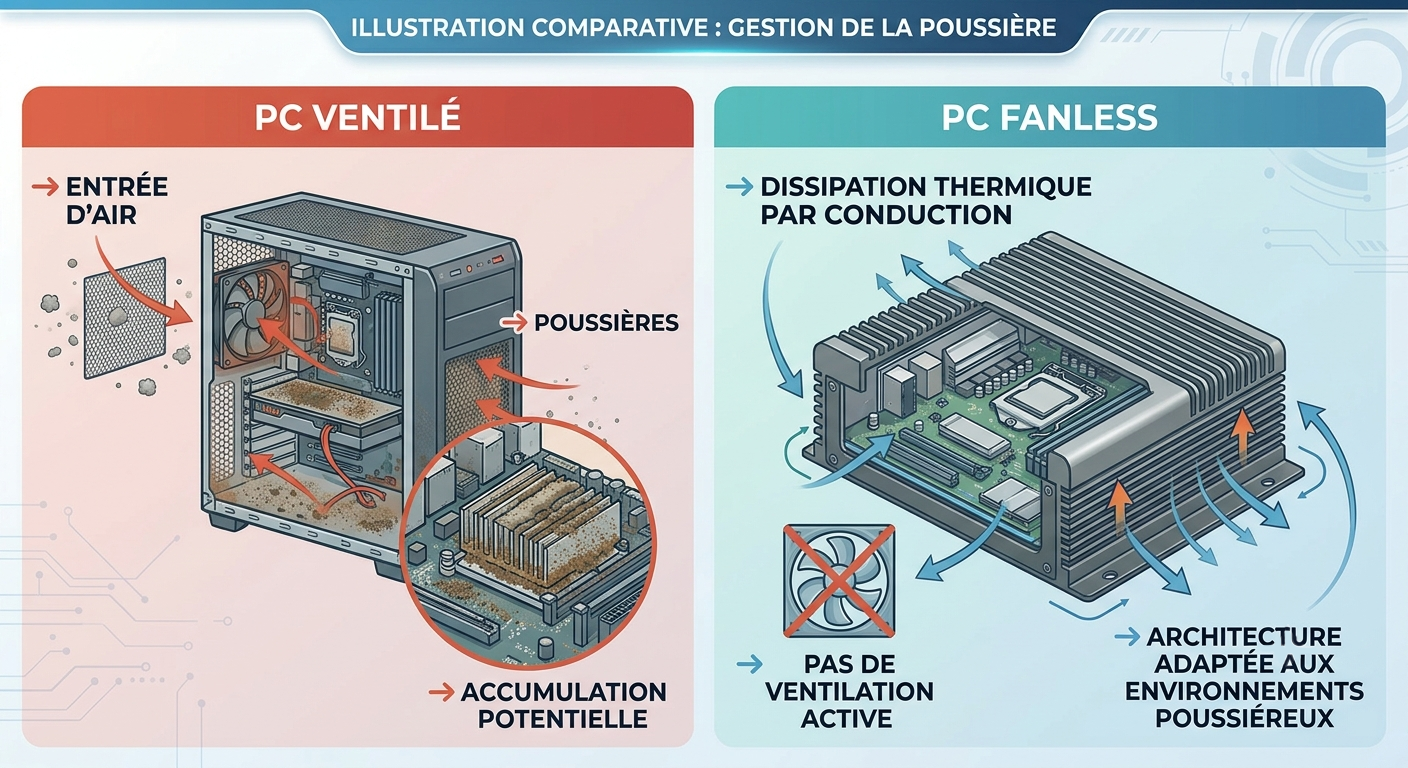
Dust is present in many industrial environments: machining, metallurgy, woodworking, materials production, food processing, logistics, and even quarries. In a PC equipped with a fan, cooling relies on air circulation. Outside air is drawn into the chassis and then expelled, which can allow particles to enter when the system is exposed to a dusty environment.
Over time, these particles can accumulate on various components and reduce cooling efficiency. With a fanless design, cooling generally relies on thermal conduction and heat dissipation through the chassis. Therefore, it is not necessary to continuously circulate outside air inside the PC to dissipate heat.
This is an advantage in environments where dust is a major concern.
Fanless does not automatically mean dustproof
This is a crucial distinction to consider when choosing an industrial PC. The absence of a fan does not mean the enclosure is airtight. Openings, connectors, and various assembly points must also be taken into account.
For an installation exposed to significant amounts of dust, you must therefore check the IP protection rating specified by the manufacturer. The first digit of the IP rating indicates protection against solid objects and dust, while the second digit indicates protection against water.
IP65-rated equipment, for example, offers a defined level of protection against dust ingress and water jets. However, this does not mean it is suitable for all industrial conditions.The IP rating and fanless design address two different issues: the fanless design primarily concerns the cooling architecture, while the IP rating characterizes the protection of the enclosure.
Temperature: How do you cool a fanless PC?
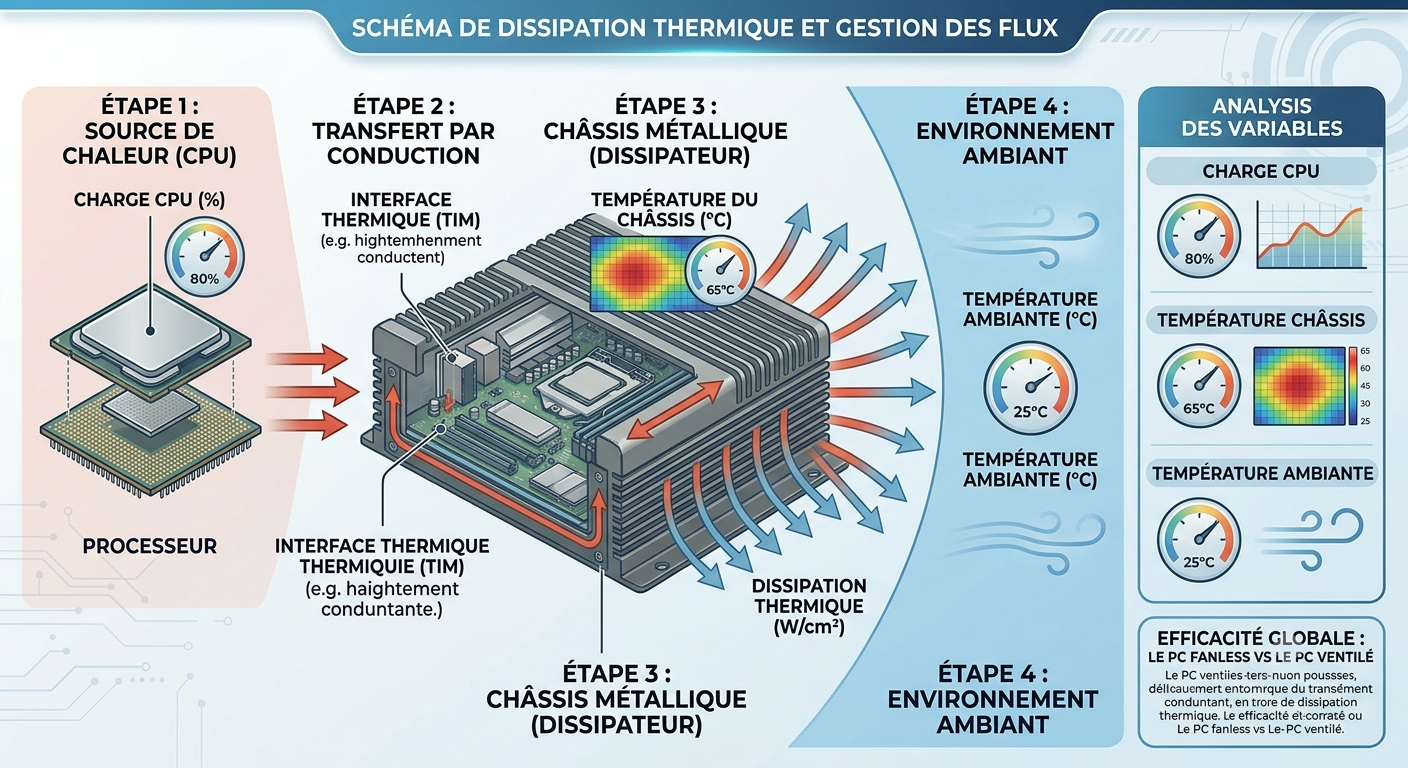
Temperature is one of the key factors to consider when selecting an industrial fanless PC. The absence of a fan means that the heat generated by the processor and other components must be dissipated by other means.
The chassis therefore plays a crucial role in heat dissipation. Depending on the PC’s design, heat can be transferred to the metal chassis via thermal interfaces and specifically sized heat sinks. The system’s ability to maintain an acceptable operating temperature therefore depends on several factors:
- processor power;
- computing load;
- ambient temperature;
- chassis design;
- cooling system;
- available space around the PC;
- integration method.
Operating temperature and storage temperature: two different values
When comparing several industrial PCs, it is important to distinguish between operating temperature and storage temperature. A manufacturer may specify an operating range between -20 °C and +60 °C and a wider storage range. The former indicates the conditions under which the hardware is designed to operate. The latter refers to acceptable conditions when the hardware is not in use. You must also consider the actual temperature at the location where the PC will be installed.
A computer placed in a cabinet exposed to direct sunlight may experience an internal temperature significantly higher than that measured in the workshop. Similarly, equipment installed near a heat source must be sized accordingly. The computing load is also a key factor.
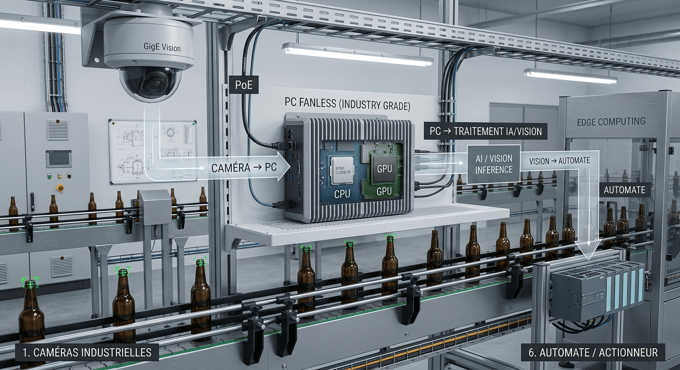
A PC running only a monitoring application will not face the same thermal constraints as a system performing continuous machine vision or artificial intelligence processing. This is particularly true for Edge Computing and Edge AI architectures, in which data processing is performed directly as close as possible to the equipment.
To explore this topic further, our article on fanless industrial PCs for Edge Computing and AI specifically addresses the challenges related to computing power and local data processing.
Vibrations and shocks: How robust is the mechanical design?
Mechanical stresses are often underestimated when selecting an industrial computer. A PC installed directly on a machine tool, conveyor, vehicle, or mobile equipment may be subjected to repeated vibrations.
Over the long term, these stresses can affect various components:
- electronic circuit boards;
- connectors;
- mounting systems;
- storage media;
- wiring;
- mechanical components.
Vibration resistance must therefore be considered at the system level. Certain industrial equipment undergoes specific environmental testing to characterize its resistance to vibrations and shocks.
The PC’s mounting is part of its robustness
Equipment designed to withstand vibrations can nevertheless be damaged if its mechanical integration is not appropriate. The mounting method must be chosen based on the application: wall mounting, DIN rail, machine mounting, VESA mounting, or integration into a cabinet.
In particular, the following should be checked:
- the rigidity of the mounting bracket;
- the available mounting points;
- how the cables are secured;
- the strength of the connectors;
- the stresses exerted on the chassis.
In a system subject to constant vibrations, the mechanical design of the integration is therefore just as important as the PC’s specifications.
Humidity and condensation: what are the risks for an industrial PC?
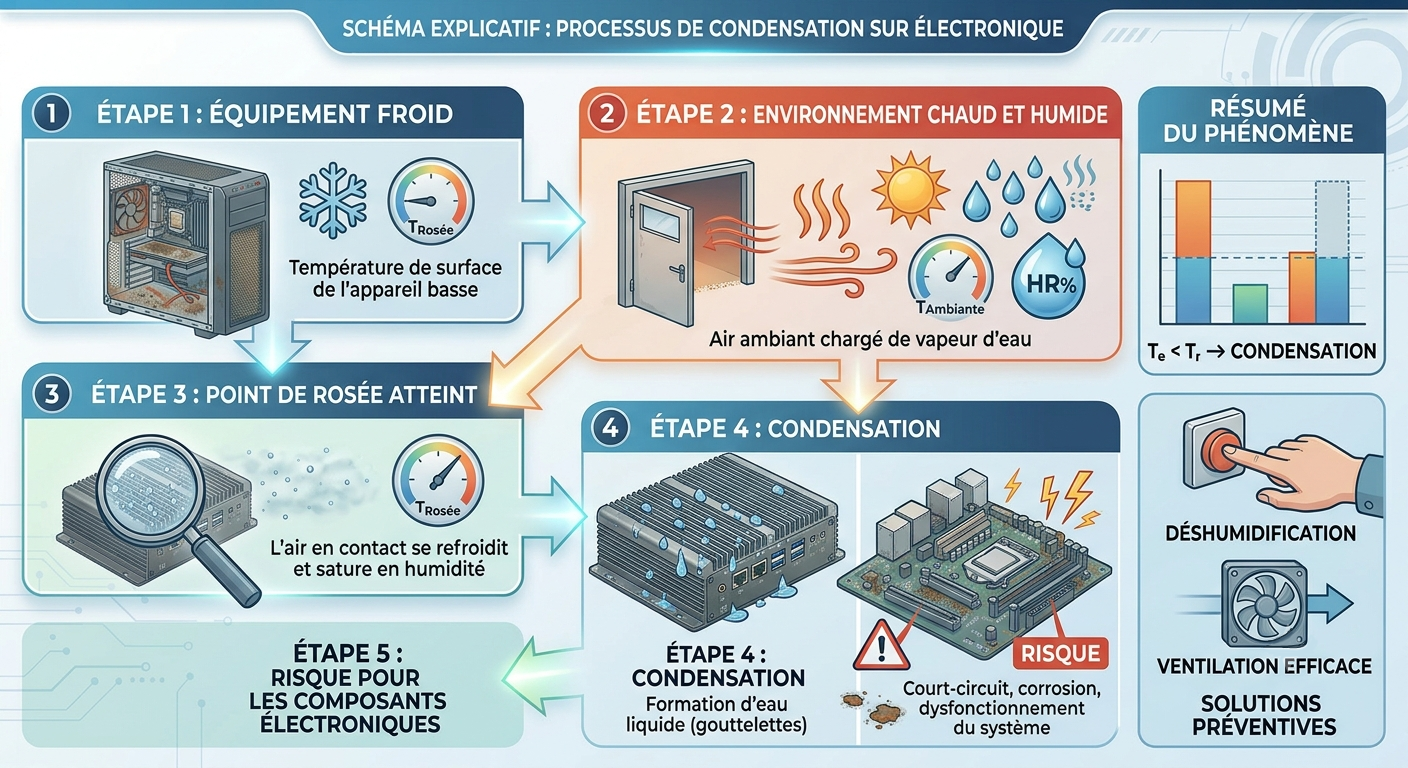
Humidity is another significant challenge in certain industrial environments. The risk does not stem solely from water splashes or direct infiltration. Temperature fluctuations can also cause condensation.
Cold equipment exposed to a hot, humid environment can, under certain conditions, reach a temperature below the dew point. Condensation may then form on or inside certain components.
This moisture can contribute to:
- corrosion;
- degradation of electrical contacts;
- insulation failures;
- intermittent malfunctions;
- reduced service life of certain components.
It is therefore important to verify the relative humidity range specified by the manufacturer and the associated conditions.
What does IP65 actually mean?
The IP rating is often used as an indicator of ruggedness for industrial equipment, but it must be interpreted correctly. IP65 corresponds to a defined level of protection against solid objects and water jets. It does not directly provide information on the temperature range or vibration resistance.
An IP65-rated PC is therefore not necessarily suitable for outdoor installation where it is exposed to extreme temperatures or strong vibrations. When selecting equipment, several factors must be considered together:
IP rating + operating temperature + humidity + vibrations + integration constraints.
It is this combination that determines whether a PC is truly suitable for the environment.
What factors should you consider before choosing a fanless PC?
Before selecting a model, it’s best to start by assessing the environment in which the hardware will be installed.
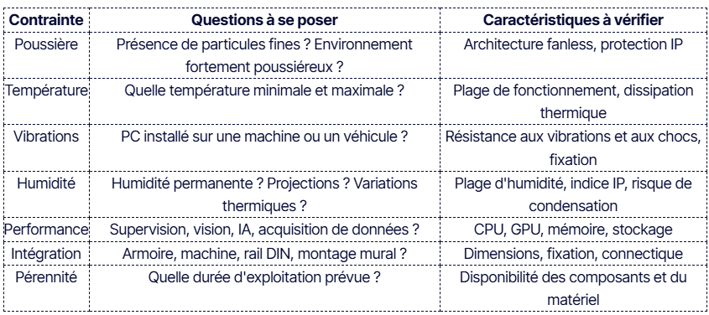
This approach helps avoid a common mistake: choosing a PC based solely on the processor or price. In an industrial application, environmental factors must be given the same consideration as computing performance.
Which fanless PC should you choose for an industrial environment?
The ideal fanless PC depends directly on the application’s constraints.
In a dusty workshop
In a workshop exposed to dust, a fanless design can limit the ingress of particles associated with active ventilation. If the environment is particularly dusty, it is also important to consider the case’s protection rating and the design of its various access points.
In an electrical cabinet
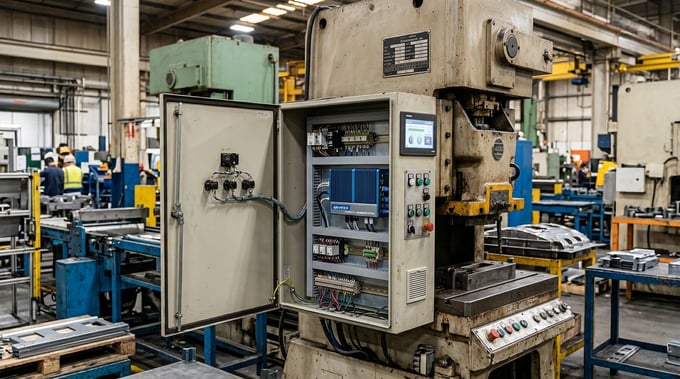
In a cabinet, the main constraint may be thermal. The PC must be able to operate at the actual temperature reached inside the cabinet and have a heat dissipation system compatible with the computing load. The available space around the chassis must also be taken into account.
On an industrial machine
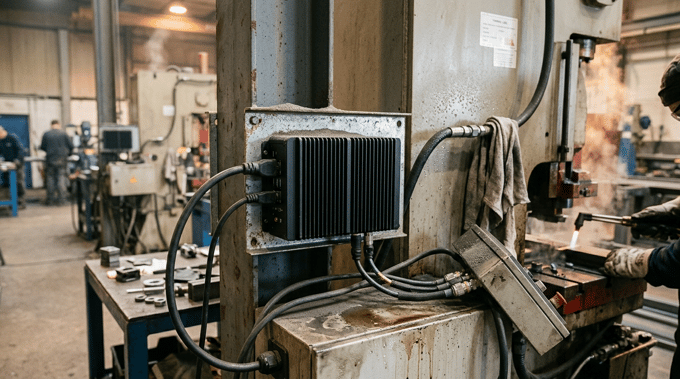
When a PC is installed directly on a machine, vibration and shock become the primary concerns. The mechanical strength of the hardware, environmental specifications, and mounting system must be evaluated together.
In a humid or outdoor environment
For outdoor installation or installation in humid conditions, it is particularly important to check the IP rating, the temperature and humidity ranges, and condensation conditions. The choice of connectors and their protection must also be suited to the environment.
Fanless PCs and Edge computing: why the environment matters too
Fanless PCs are increasingly being used to perform computing tasks directly in the field. This allows for monitoring, data acquisition, industrial IoT, machine vision, and artificial intelligence to be carried out as close as possible to the equipment.
This edge architecture is particularly valuable when data needs to be processed locally, without relying solely on a remote server or the cloud. But this proximity to the machines also means that the PC is exposed to the same environmental conditions as the equipment it monitors. An edge PC installed in an air-conditioned server room is not subject to the same conditions as a computer installed next to a machine in a dusty workshop.
The choice of hardware must therefore simultaneously take into account:
computing performance + environment + mechanical integration + connectivity + durability.
It is this approach that makes it possible to transform an industrial PC into a true edge platform suited for field use.
How do you select the right specifications for a fanless industrial PC?
Sizing should start with the application and its environment, not with a specific processor model. For more information, our guide to choosing a fanless industrial PC details the key criteria to consider based on the application, the required performance, and integration constraints.
Before selecting the hardware, it’s important to answer the following questions:
- What are the minimum and maximum temperatures at the site?
- Is the PC exposed to dust?
- Is there a risk of water splashes or condensation?
- Is the equipment subject to vibrations or shocks?
- Where will the PC be installed?
- What CPU or GPU performance is required?
- Which interfaces are essential?
- How much storage capacity is needed?
- What level of uptime is expected?
- Are any specific certifications or standards required?
This analysis then makes it possible to select a configuration that is truly suited to the application. For automation or Industry 4.0 projects, this approach must also be integrated into the overall selection of the IT architecture. Our guide on selecting an industrial PC for an Industry 4.0 production line provides further insight into this topic.
A fanless PC in an industrial environment is more than just the absence of a fan. This architecture offers advantages in environments where dust, maintenance, and mechanical parts pose significant challenges. However, it must be combined with a properly designed chassis, thermal management, components, and mechanical integration.
Dust, temperature, vibrations, and humidity must therefore be evaluated together. The right choice is not necessarily the PC marketed as “the most rugged.” It is the one whose specifications precisely match the actual operating conditions.
For this reason, the selection of an industrial PC must always begin with the application’s specifications before comparing the various available configurations.
FAQ: Fanless PCs in industrial environments
Is a fanless PC suitable for dusty environments?
Yes, depending on its design. The absence of a fan limits the airflow needed for cooling and can therefore be advantageous in a dusty environment. However, this does not mean that the PC is automatically dustproof. The IP rating must be checked separately.
What temperature can an industrial fanless PC withstand?
The permissible temperature depends on the model and its configuration. You should consult the operating temperature range specified by the manufacturer and compare it to the actual on-site conditions, taking into account the load on the processor and other components.
Is a fanless PC vibration-resistant?
Some industrial PCs are designed to operate in environments subject to vibration and shock. You should check the manufacturer’s specifications and also consider the mounting system and mechanical integration.
Can a fanless PC operate in a humid environment?
Yes, certain models are designed for environments with high humidity. However, you must check the permissible humidity range, the IP rating, and the operating conditions, particularly in the presence of significant temperature fluctuations.
Does IP65 mean that an industrial PC can withstand all outdoor conditions?
No. IP65 defines a level of protection provided by the enclosure against dust and water jets. This rating does not define resistance to extreme temperatures, vibrations, shocks, or condensation.
Why choose a fanless PC over a ventilated industrial PC?
The main advantage of a fanless design is that it eliminates the fan—and thus a moving mechanical part. This architecture can be particularly suitable in dusty environments or when the goal is to reduce maintenance. For certain applications requiring high computing power, however, a ventilated system may be more appropriate.
How do you choose a fanless PC for an industrial machine?
Start by assessing the environment: temperature, dust, humidity, condensation, vibrations, and shocks. Next, define the computing requirements, connectivity needs, and integration constraints. Finally, certifications, hardware longevity, and long-term availability must be verified before selecting a specific model.